Back to the index · Previous: Connect source systems
How it works#

Delta Lake is a trademark of LF Projects, LLC. Apache, Apache Iceberg, Iceberg, Apache Parquet and Parquet are trademarks of The Apache Software Foundation. The logos identify the open formats DataSimple reads and writes.
The lake is one bucket (or container) per environment, saved by an administrator as a target Data Source: Target_AWS, Target_Azure or Target_GCP. DataBridge writes every copy under a fixed layout inside it, and registers each copy in Unity Catalog under the catalog datasimple, so you address tables by name and never by path. One source table can exist in three formats side by side; you tick the ones you want. Parquet is the plain, fastest-to-read copy; Delta keeps a version history and supports MERGE, time travel and RESTORE; Iceberg keeps snapshots and is readable by Iceberg tools. Bronze and Silver tables built from the copies live in their own folders and schemas.
The layout#
source/<Source Name>/<database>/<schema>/<table>/parquet/<table>.parquet
source/<Source Name>/<database>/<schema>/<table>/delta/
source/<Source Name>/<database>/<schema>/<table>/iceberg/
bronze/<Source Name>/<database>/<schema>/<table>/            (plus cdc/ for the event log of a Parquet Bronze)
silver/<Source Name>/<database>/<schema>/<table>/delta
silver/<Source Name>/<database>/<schema>/<table>_history/delta
The Source Name you type in the DataBridge wizard is the first folder; it also names the data source in lineage. Users see the data source name in the Lakehouse tooltip, never the bucket. Tables you create yourself in a notebook (save_table, CREATE TABLE … USING DELTA) are written under a managed root per layer.
Catalog names#
| What | Unity Catalog name | Example |
|---|---|---|
| Parquet copy | datasimple.source.<schema>_<table> |
datasimple.source.dbo_Orders |
| Delta copy | datasimple.source.<schema>_<table>_DELTA |
datasimple.source.dbo_Orders_DELTA |
| Iceberg copy | datasimple.source.<schema>_<table>_ICEBERG |
datasimple.source.dbo_Orders_ICEBERG |
| Bronze | datasimple.bronze.<schema>_<table> |
datasimple.bronze.dbo_Orders |
| Silver current state | datasimple.silver.<schema>_<table> |
datasimple.silver.dbo_Orders |
| Silver history | datasimple.silver.<schema>_<table>_HISTORY |
datasimple.silver.dbo_Orders_HISTORY |
| Your own tables | `datasimple.<bronze | silver |
A notebook accepts the full name, <layer>.<table>, or a bare table name searched across layers. The source layer is read-only for users; write to bronze, silver or gold.
Which format when#
| Pick | Because | Keep in mind |
|---|---|---|
| Parquet | fastest plain reads; one file per table; any tool reads it | no history; an incremental run rewrites the file; Parquet Bronze appends |
| Delta | history and time travel (DESCRIBE HISTORY, VERSION AS OF, RESTORE), MERGE by key, the default for Bronze when ticked, the format of Silver |
the one to choose when you want to undo or audit a load |
| Iceberg | snapshots (.snapshots, rollback_to_snapshot), Iceberg engines and catalogs |
can be switched off by the administrator (Iceberg is off); then use the _DELTA copy |
Tick all three when storage is not a concern: the same rows, three readers. Bronze follows the formats of the run: Delta if Delta was ticked, else Iceberg, else Parquet.
The Lakehouse tree#
Left rail → Lakehouse → datasimple → a layer → a format folder → the table. Each table carries a badge: DL (blue) Delta, IC (green) Iceberg, PQ (amber) Parquet; the format folders use the same colours. Tick Show row counts for live counts. Hover a table for the data source it came from.
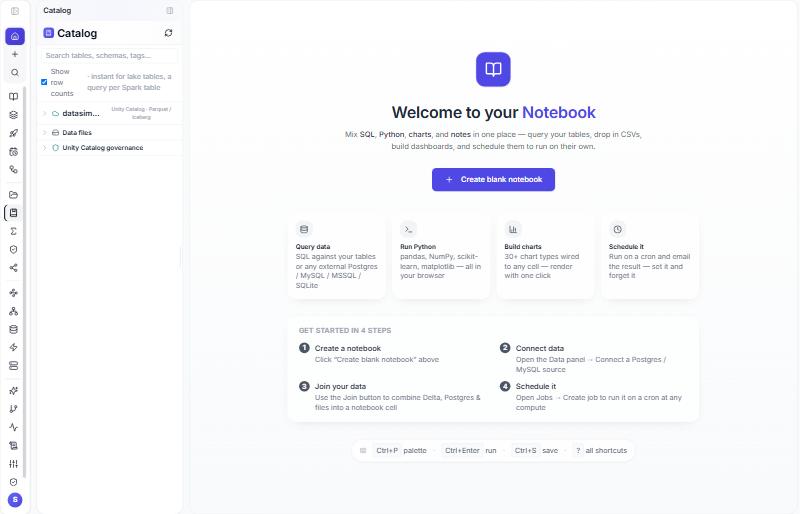
Data Lake (left rail) is the other view: raw storage by path, cloud connections, uploaded files, a ZIP upload of a Delta folder. It is not governed by the catalog; use it to look, and use catalog names to read.
Check from a notebook#
SELECT COUNT(*) FROM datasimple.source.dbo_Orders;            -- Parquet copy
SELECT COUNT(*) FROM datasimple.source.dbo_Orders_DELTA;      -- Delta copy
DESCRIBE HISTORY datasimple.source.dbo_Orders_DELTA;          -- one version per run
SELECT snapshot_id, committed_at FROM datasimple.source.dbo_Orders_ICEBERG.snapshots;
Read more#
- Delta Lake: https://docs.delta.io/latest/
- Apache Iceberg: https://iceberg.apache.org/docs/latest/
- Apache Spark SQL reference: https://spark.apache.org/docs/latest/sql-ref.html
- Unity Catalog status in this product: Unity Catalog status and plan.