Back to the index · Previous: Pipelines and workflows
Everything on this page was run end to end through the application on 2026-10-21 and passed. Repeat it on your own environment to confirm the setup before relying on it.
The two features in one line each#
- A Pipeline is the application's own orchestration: steps with dependencies, parallel branches, a failure policy per step, retries and a cron, run by the application's scheduler.
- Dataflow gives the calendar to an external scheduler service: the application writes the definition, the service triggers it with its own retries, and the service calls the application, which runs the steps as a pipeline. Same engine for the steps; a different owner of the clock.
Notebooks used#
Five notebooks with one SQL cell each.
| Notebook | Cell |
|---|---|
| E2E 1 Load orders | CREATE OR REPLACE TABLE datasimple.gold.e2e_orders AS SELECT order_id, customer, amount, status FROM silver.orders |
| E2E 2 Totals by status | CREATE OR REPLACE TABLE datasimple.gold.e2e_totals AS SELECT status, count(*) AS orders, sum(amount) AS amount FROM gold.e2e_orders GROUP BY status |
| E2E 3 Top customers | CREATE OR REPLACE TABLE datasimple.gold.e2e_top AS SELECT customer, sum(amount) AS amount FROM gold.e2e_orders GROUP BY customer ORDER BY amount DESC LIMIT 5 |
| E2E 4 Broken step | SELECT * FROM gold.table_that_does_not_exist_e2e (fails on purpose) |
| E2E 5 Parameter | SELECT count(*) AS n FROM gold.e2e_orders WHERE status = {{status}} |
Pipeline 1: dependencies, parallel branches, a parameter#
Left rail → Pipelines → + Create Pipeline. Steps:
| Step | Notebook | Depends on | On failure | Parameters |
|---|---|---|---|---|
load |
E2E 1 | stop | ||
totals |
E2E 2 | load |
continue | |
top |
E2E 3 | load |
continue | |
param |
E2E 5 | totals, top |
continue | status = paid |
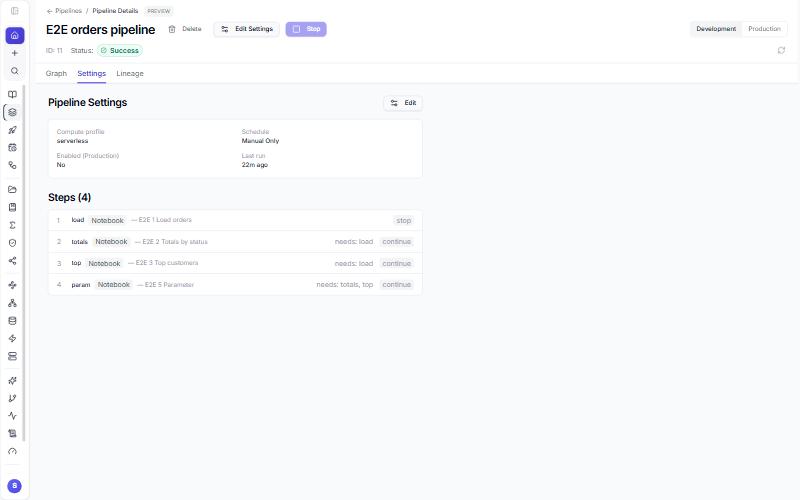
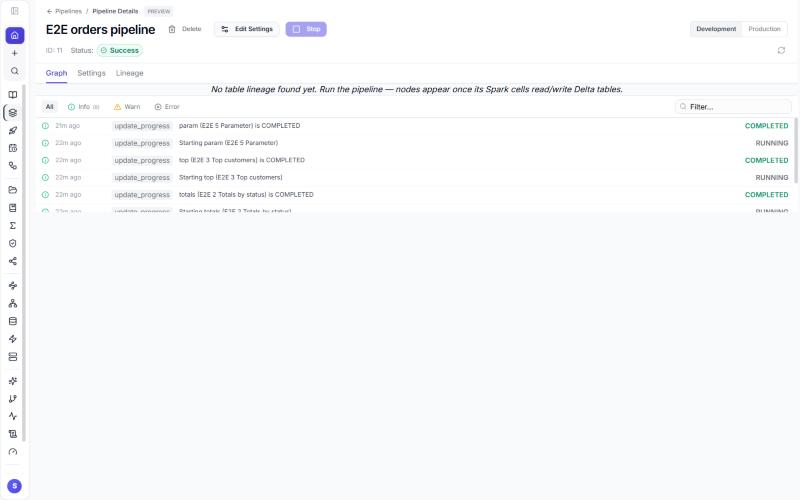
Run on the row, then open the pipeline. What was checked:
| Check | Result |
|---|---|
| Run status Success, every step Success | pass |
load finished before totals and top started; param started after both finished |
pass |
{{status}} replaced by 'paid' (6 rows) |
pass |
Tables written: gold.e2e_orders 20 rows, gold.e2e_totals 5, gold.e2e_top 5 |
pass |
Cron 0 */6 * * * (UTC) saved and enabled; the list shows the next run |
pass |
| Toggle off | pass |
Pipeline 2: a failing step#
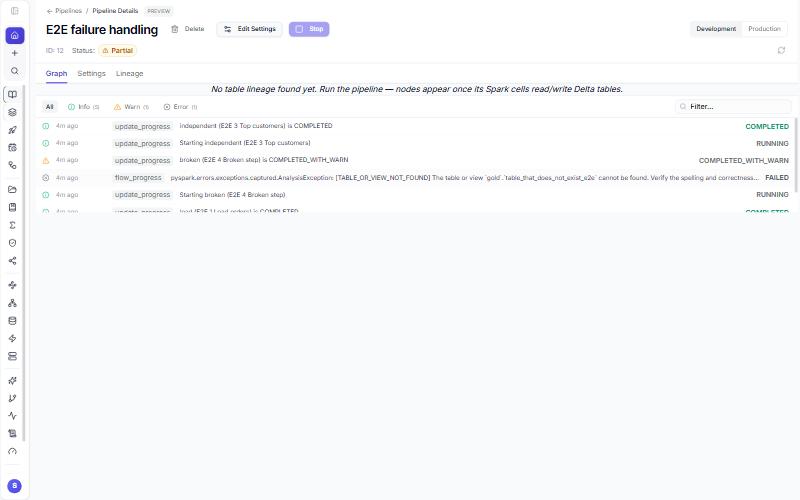
| Step | Notebook | Depends on | On failure |
|---|---|---|---|
load |
E2E 1 | stop | |
broken |
E2E 4 | load |
skip dependents |
after_broken |
E2E 2 | broken |
continue |
independent |
E2E 3 | load |
continue |
| Check | Result |
|---|---|
broken fails with the table-not-found message as the headline |
pass |
after_broken recorded as Skipped |
pass |
independent still runs to Success |
pass |
| Run status Partial | pass |
Dataflow: the same steps on the external scheduler#
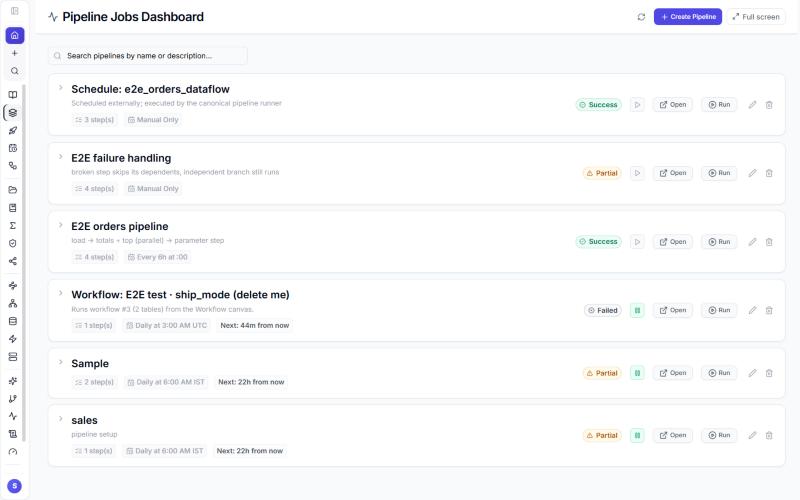
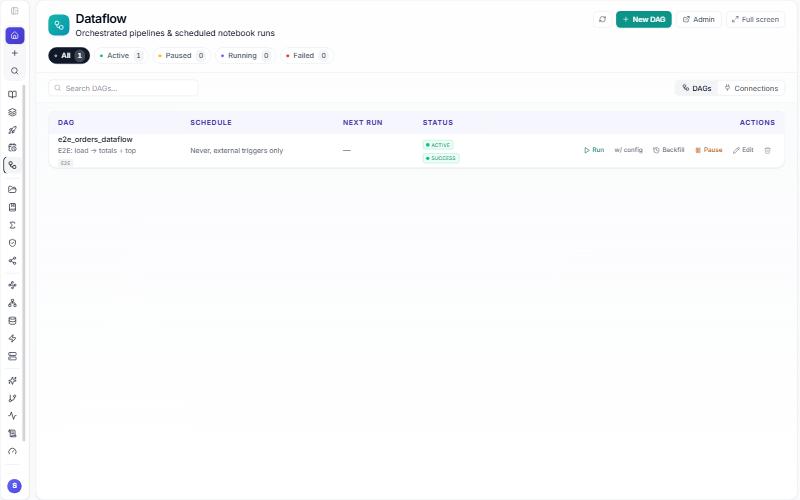
Left rail → Dataflow → + New DAG → granularity pipeline → the three notebooks with totals and top depending on load → one retry, no schedule → Create. Then Run on the row.
| Check | Result |
|---|---|
| Scheduler service health: scheduler and metadata healthy | pass |
| Definition created from the application and listed by the service | pass |
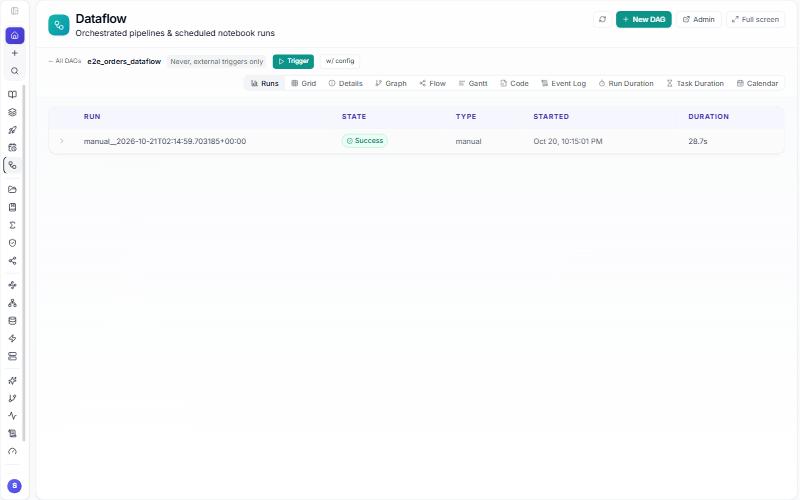
| Run triggered from the application | pass |
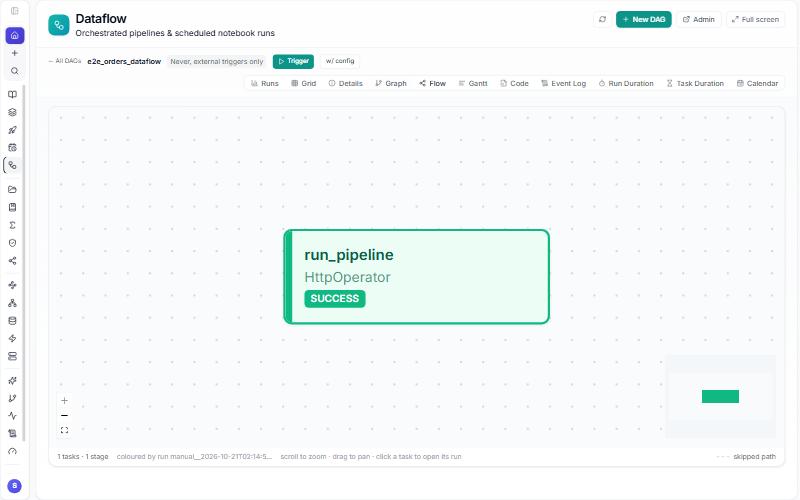
| Run finished Success; its task Success | pass |
The same run appears under Pipelines as Schedule: e2e_orders_dataflow, status Success, triggered externally |
pass |
Totals#
| Area | Checks | Passed |
|---|---|---|
| Pipelines | 11 | 11 |
| Dataflow | 5 | 5 |
Before you repeat it#
- Pipelines need nothing beyond a signed-in user with the Pipelines tab.
- Dataflow needs the scheduler service configured by an administrator (its address and credentials, the folder it reads definitions from, and the connection it uses to call the application). An administrator's checklist is in chapter 12.
Next: 9. Lakehouse governance