Back to the index · Previous: 7d. Streaming, materialized views and incremental tables
How it works#
A notebook is the unit of work; three things run notebooks for you. Schedules run one notebook on a cron (chapter 7). Pipelines run a graph of steps with dependencies: notebook, dbt project, Flink SQL statement or Workflow; steps with no dependency between them run at the same time, and a failed step stops its dependents. Dataflow is the orchestration view for teams that already run a scheduler service: the application writes the definition files and proxies the service's API, so the service owns the calendar and the retries while the application still runs the steps. A Workflow is different in kind: a canvas built by chatting with Sarah that creates a source → bronze → silver → gold → governance flow over one Data Source, with a notebook behind every box, which you can test on a sample, execute, and save as a pipeline.
Pipelines#
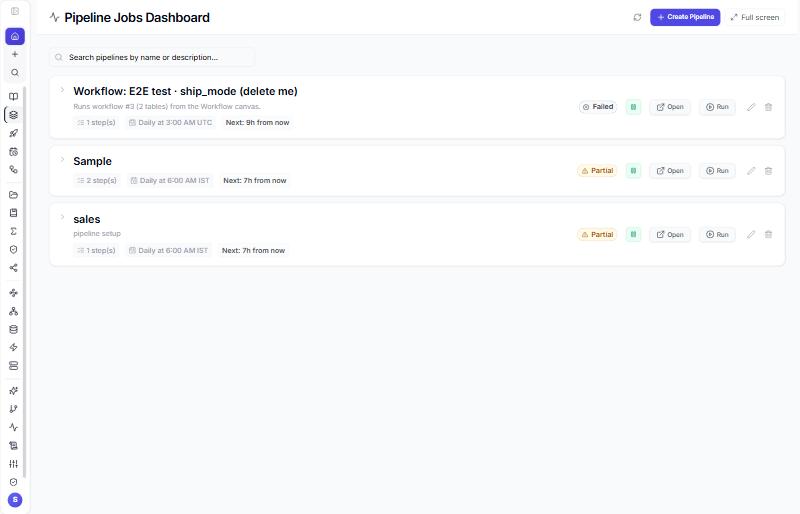
- Left rail → Pipelines → + Create Pipeline.
- General: name, description, cron and timezone (leave the cron empty to run by hand), enabled, retry count, email recipients, webhook, compute profile.
- Steps: type (Notebook, dbt, Flink SQL, Workflow), a short step key (
bronze,silver,gold), depends on, on-failure policy (stop,continue,skip_dependents), parameters, timeout. dbt steps take the project folder, the command (run / test / compile) and the warehouse; Flink steps the SQL, mode (batch or streaming) and parallelism; Workflow steps the workflow. - Save. Run on the row starts it; open the row for the graph, each step's status and logs, the run history, Stop, Toggle, AI lineage and Fix error.
Run can take parameters; they override the notebook steps' own parameters for that run and are kept on the run record. Example: step bronze runs the notebook from chapter 7; silver depends on bronze and builds silver.orders_scored; gold depends on silver. If bronze fails, the others do not start. The scheduler ticks every minute; a pipeline cron, a notebook schedule and the retry queue all run from it.
POST /api/pipelines
{ "name": "orders_daily", "cron_expression": "0 6 * * *", "timezone": "UTC",
  "steps": [ { "step_key": "bronze", "notebook_id": 12 },
             { "step_key": "silver", "notebook_id": 13, "depends_on": ["bronze"] },
             { "step_key": "dbt_marts", "step_kind": "dbt", "depends_on": ["silver"],
               "parameters": { "_dbt": { "projectDir": "dbt/orders", "command": "run" } } } ] }
POST /api/pipelines/:id/run        { "parameters": { "region_id": 3 } }
GET  /api/pipelines/:id/runs
GET  /api/pipelines/:id/graph                   -- table lineage DAG plus latest run
PUT  /api/pipelines/:id/toggle     { "enabled": false }
POST /api/pipelines/:id/stop
An invalid step is rejected with 400 and a message naming the step. Pipelines promoted by Deployment land disabled on the target.
A worked run#
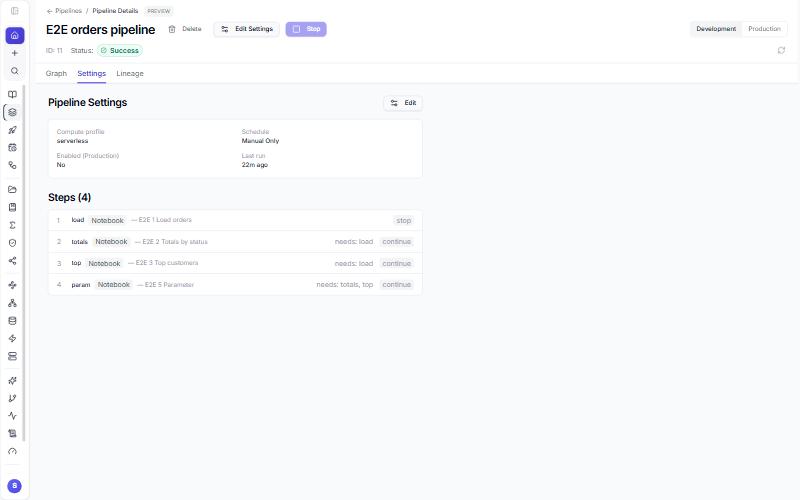
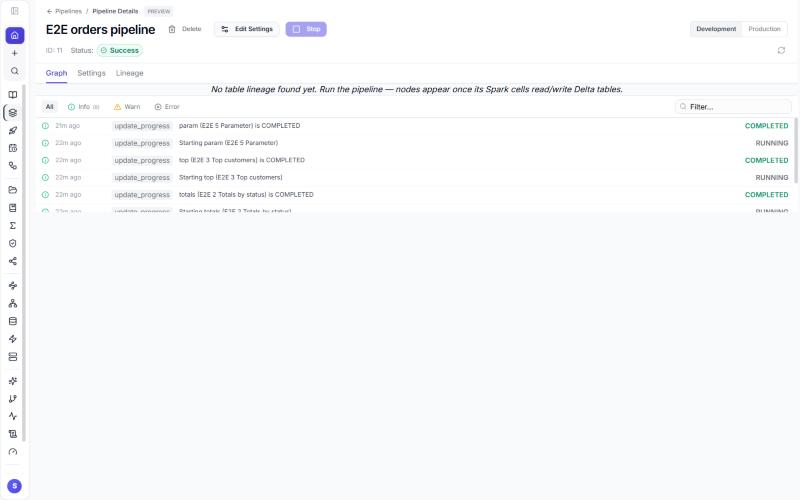
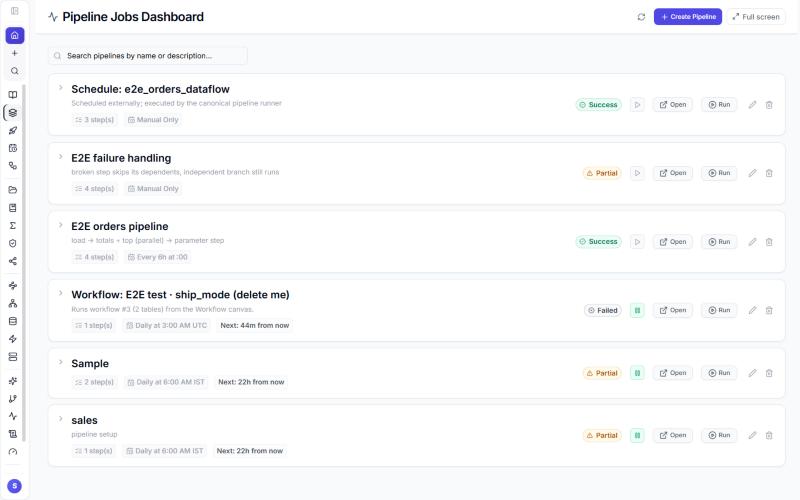
Four steps: load builds gold.e2e_orders; totals and top both depend on load, so they start together once it finishes; param depends on both and receives status = paid.
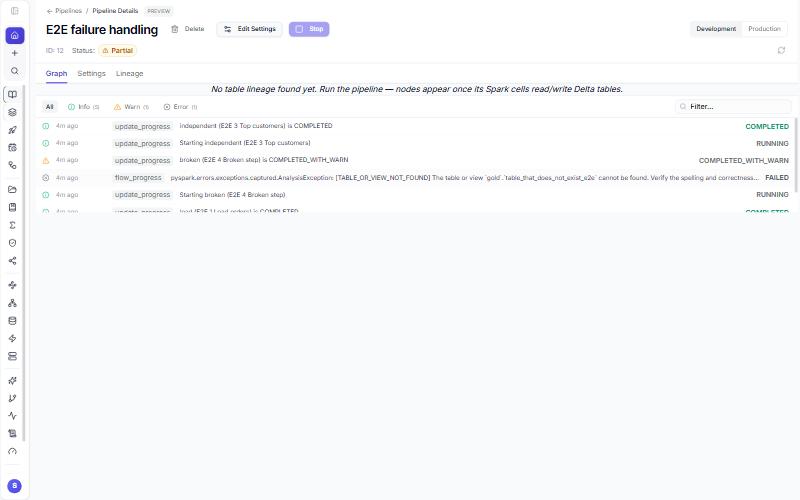
When a step fails under the skip dependents policy, its dependents are recorded as skipped, independent branches still run, and the run ends Partial with the failing message as the headline:
Dataflow#
Left rail → Dataflow → + New DAG → DAG id, a notebook (or pipeline steps), granularity (one task per notebook, per cell, or a pipeline), schedule, retries → Create. Rows offer pause, resume, trigger, backfill, clear, mark state, logs and a code editor. Cell runs land in Log tagged Dataflow. When no Dataflow scheduler service is configured the screen says Dataflow isn't reachable and offers Retry; Schedules and Pipelines do not need the orchestration service.
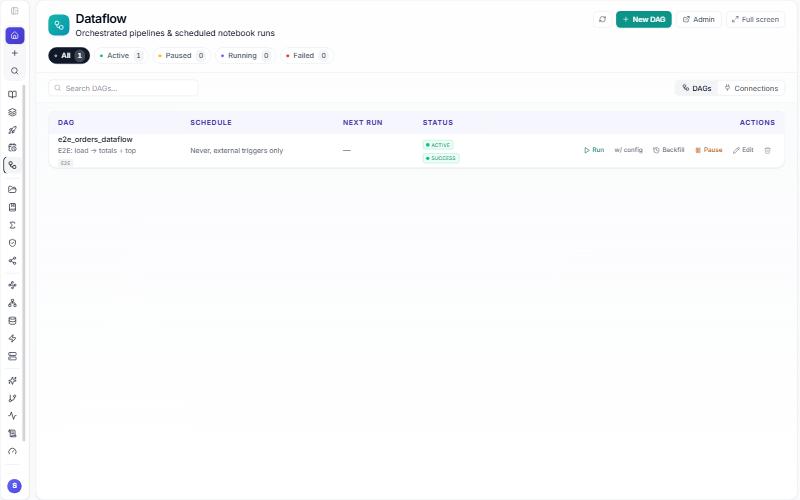
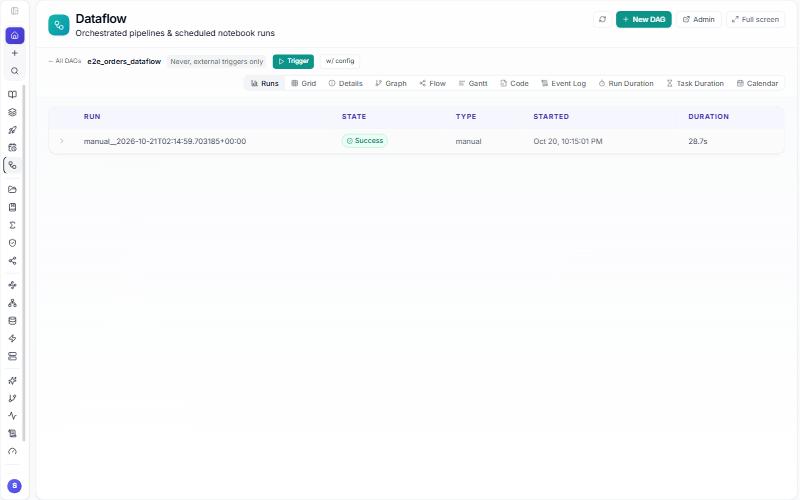
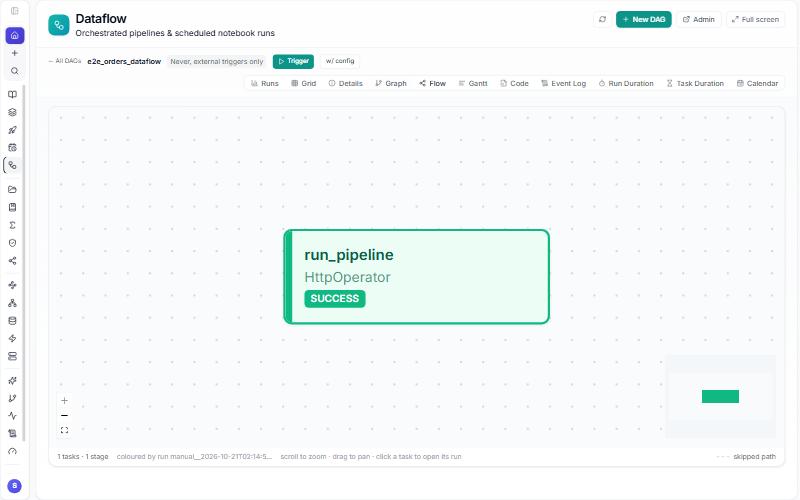
With pipeline granularity the definition has one task that calls back into the application, which runs the steps exactly as a Pipeline would; the run therefore also appears under Pipelines as Schedule: <dag id>.
Pipeline or Dataflow?#
| Pipeline | Dataflow | |
|---|---|---|
| Who owns the calendar | the application's own scheduler (cron on the pipeline) | the external scheduler service |
| Who runs the steps | the application | the application (the service calls it) |
| Step types | notebook, dbt, Flink SQL, Workflow | notebooks, cells or a pipeline |
| Dependencies and parallel branches | depends_on, waves |
the same, saved as a pipeline |
| Failure handling | per step: stop, continue, skip dependents; retry count | service-level retries and backoff on top |
| Needs anything installed | no | the scheduler service |
| Where you see runs | Pipelines, Log, History | Dataflow (runs, grid, graph, logs) and Pipelines |
Rule of thumb: start with a Pipeline; move the calendar to Dataflow only when an operations team already runs the scheduler service and wants every job in one place.
POST /api/notebooks/airflow/dags   { "dagId": "orders_daily", "notebookId": 12, "schedule": "0 6 * * *", "granularity": "notebook" }
POST /api/notebooks/airflow/dags/orders_daily/trigger   { "conf": {} }
GET  /api/notebooks/airflow/dags/orders_daily/runs
Workflows built by chat (Sarah)#
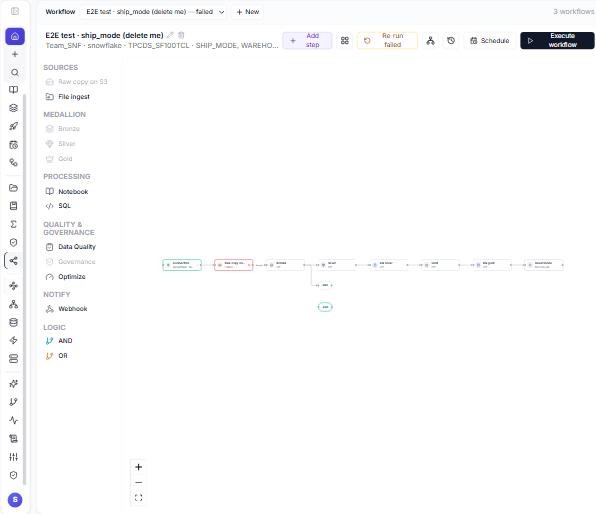
- Left rail → Workflow → + New workflow (ask Sarah). Say what you want: "Load Orders and Customers from DS-16 into bronze, silver and gold, mask the email column."
- Sarah builds the boxes: connection, source (the raw copy into the lake through DataBridge), bronze, silver, gold, governance (masks, grants, certificates), plus optional steps (data quality, dbt, Flink, files, SQL, optimize, webhook) and AND/OR gates. Per table you can set the primary key, watermark, SCD2, the silver mapping and dedupe, the gold group-by and measures, and masks.
- Click a box to open its notebook. Test runs the box against a
<box>_testtarget with sampled rows; Execute step runs one box for real; Execute workflow runs the whole graph in waves of three. - Runs shows the history; Lineage the tables the run produced; Re-run failed and Stop act on the current run.
- Schedule as pipeline saves a nightly Pipeline (cron
0 2 * * *UTC) with oneworkflowstep.
Inside a box notebook: read_staged(connection_id, table) reads the raw copy, workflow_table("orders") names the box's target, and save_table(df, workflow_table("orders")) writes it. Runs register bronze, silver and gold tables in Unity Catalog and record lineage.
POST /api/workflows
{ "name": "Orders flow", "connectionId": 16, "sourceSchema": "dbo",
  "tables": [{ "name": "Orders", "primaryKey": "OrderID" }],
  "options": { "nodes": ["connection", "source", "bronze", "silver", "gold"] } }
POST /api/workflows/:id/run        {}  or  { "tables": ["Orders"] }
GET  /api/workflows/:id/runs
GET  /api/workflows/:id/lineage
POST /api/workflows/:id/pipeline   {}        -- nightly pipeline
Choosing between them#
| You want | Use |
|---|---|
| one notebook, nightly | a Schedule |
| several notebooks in order, dbt or Flink in the chain, run-time parameters | a Pipeline |
| a whole medallion flow over one source without writing it yourself | a Workflow, then Schedule as pipeline |
| your existing orchestration service to own the schedule | Dataflow |
Read more#
- Tested walkthrough with screenshots: 8a. Pipelines and Dataflow.
- Quick start: Run it on a schedule; dbt projects in this product: dbt guide.
- dbt: https://docs.getdbt.com/ · Apache Flink SQL: https://nightlies.apache.org/flink/flink-docs-stable/docs/dev/table/sql/overview/
Next: 9. Lakehouse governance